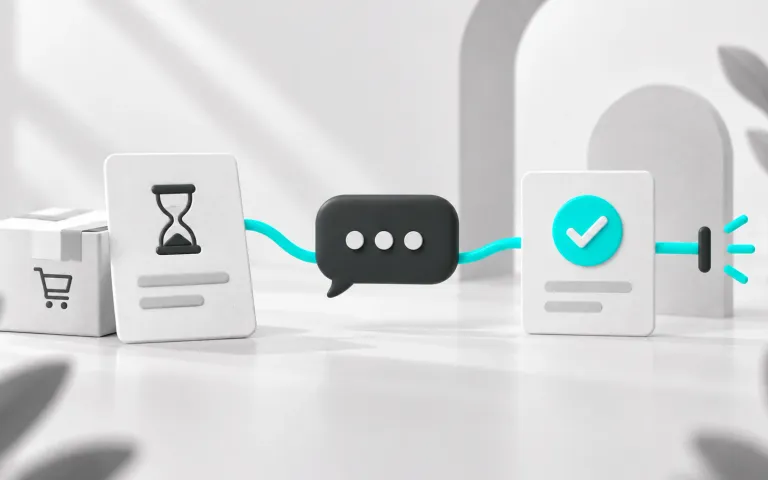
To set up automated customer support from scratch, start with a small journey and write down how you will know it works. For an online store, that might mean answering a question before a purchase or routing a delivery request. The setup should only be considered ready once exceptions have a path too.
Use this checklist as an implementation guide. The test cases are suggestions for your team to run; they do not represent validation already completed in your account.
1. Define the goal and the person responsible for support
Choose which problem to address first and who is responsible for the operation. Describe the expected result from the customer's perspective: finding the returns policy, receiving confirmed information or reaching the right person.
- A written goal understood by the team.
- A flow owner and backup assigned.
- Available support hours and a help channel.
- Situations requiring human support identified.
How to check: a team member can explain the journey and take over a test conversation that has gone off course.
2. Map the journey and the information needed
Read previous conversations and record recurring questions. List the source of each answer and who maintains it. Distinguish fixed content, such as a published policy, from variable data, such as order status.
How to check: every planned answer has a defined source. When information is unavailable, the flow routes the question without inventing stock availability, delivery times or payment details.
3. Check the channel, tool and costs
Verify which features meet your goal and which require integration. For WhatsApp, compare the app and platform based on your needs. The official WhatsApp Business Platform overview describes possible uses of the channel; the solution you purchase must demonstrate what it delivers.
How to check: channels, features, costs and responsibilities are documented. The team knows the official API rules that apply to the planned messages.
4. Write the greeting and next step
Identify the company, explain what the person can resolve and show how to ask for help. If there are options, include a way to raise another issue. Someone who has already explained their problem should not have to repeat everything unnecessarily.
How to check: a person who did not participate in the setup understands how to continue. The message templates help prepare the copy without promising timelines that do not exist.
5. Set up the handoff to your team
Define the queue, owner, working hours and context that must accompany the conversation. Explain what happens when no one is available. Check that automation stops sending competing responses after a person takes over.
How to check: a request for human support reaches the right queue at different points in the flow, including when it is written without the exact words specified in the menu.
6. Set up triggers and stop conditions
Write down which event starts the flow and which conditions prevent a message from being sent. In ecommerce, messages tied to carts, payments or orders depend on the configured integration. Confirm event identification and how repeats are handled.
How to check: the flow stops when the customer replies, completes the action or asks to leave, as appropriate to the goal. A lookup with no results is not treated as confirmation that the order is still pending.
7. Review data, access and permissions
Check what information will be collected and who can see it. Record the providers involved, channels for requests and the retention policy reviewed by the company. The guide to Brazil's LGPD and chatbots brings together references for this review.
How to check: the responsible people have approved the intended use of data and access has been checked. A test user cannot view information outside their role.
8. Run a round of tests before activation
Use fictional records or authorized contacts. Record the expected result, observed result and person responsible for fixing each failure.
| Proposed case | What should happen |
|---|---|
| Valid entry | The conversation starts in the intended context. |
| Known question | The answer matches the approved source. |
| Out-of-scope question | The team receives the request. |
| Repeated event | The same contact does not enter the sequence twice. |
| Already completed order | The message dependent on an outstanding action is not sent. |
| Opt-out request | The flow stops the upcoming planned contacts. |
| Integration failure | Uncertain information is not presented as confirmed. |
How to check: critical cases pass and remaining limitations are documented before expanding support.
9. Define metrics and a review routine
Record the situation before implementation. Track first response, resolution, reopening and transfer separately. If tracking sales, define how the contact will be associated with the order. The average handle time guide explains what to consider when defining metrics.
How to check: the team knows where each metric comes from and reviews conversations to explain the numbers. Message tests follow an A/B plan, without randomly changing conditions during the comparison.
10. Plan flow activation and suspension
Start with the scope that was validated and assign someone to handle the first cases. Document how to disable sends if an error occurs and how to continue support manually. Keep the previous version of the messages and rules.
How to check: the team can suspend automation and take over conversations without losing context.
How to use this checklist with ChatFunnel
Bring your chosen journey to check the store's channels, flows, human handoff and integrations. Mark each item with evidence from your configuration. A generic demo does not replace validation of the specific case that will be activated.
Complete implementation when the people responsible know how to operate, measure and correct the proposed support process. The timeline depends on the scope and outstanding issues found.