Integrating WhatsApp and Instagram into one customer support system helps your team keep track of work across both channels. The benefit depends on how conversations are assigned, what information is available, and what happens when a customer switches channels.
For an ecommerce store, start by evaluating specific situations: a product question in Instagram Direct, a delivery request on WhatsApp, or an exchange that needs follow-up. The five reasons below include what to check before considering the integration ready.
1. Respond without neglecting either channel
When your team monitors separate inboxes, they have to divide their attention between them. A shared system can help organize this routine, as long as messages reach the inbox and have assigned owners.
Test a conversation on each channel and check that both appear in the expected queue. Repeat the test outside business hours. The automatic reply should say when support will be available. It should not give the impression that a person is available if no one will take over the conversation.
2. Keep support information consistent
Your store's exchange policy should be the same on Instagram Direct and WhatsApp. Keeping message content in one place helps with reviewing replies, but each channel still has its own formats and sending rules.
Choose a piece of information that changes frequently, such as holiday hours, and check where it needs to be updated. Then send the same question through both channels. If the answers differ, identify the source of each message before expanding automation.
The automated message templates can serve as a starting point for this review. Adjust the fields to fit your store's circumstances.
3. Distribute work and reduce duplicate replies
A shared inbox needs to show who is handling each conversation. Check the queue and the person responsible for each outstanding issue.
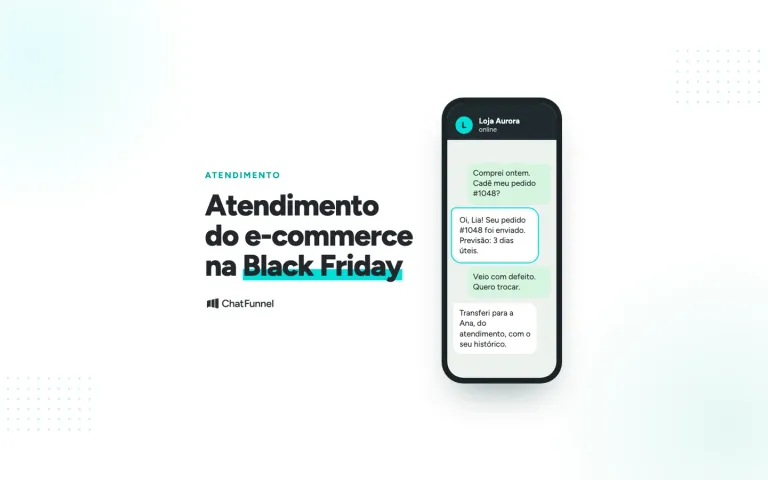
Agree on rules for taking over, transferring, and closing support conversations. Test what happens when two people open the same conversation and when a shift change happens before an issue is resolved. Check that the necessary history reaches the next person responsible and that the bot stops when an agent takes over.
To evaluate the change, count conversations without an assigned owner and corrections caused by conflicting replies. This data is more useful than assuming productivity has improved because the interface is centralized.
4. Continue the conversation with the right context
A customer may ask about sizing on Instagram and then discuss their order on WhatsApp. To continue helping them, your team needs to correctly link the records and know what information has already been shared.
Integrating the channels does not prove that profiles will automatically be identified as belonging to the same person. Define how to confirm the match and limit access to the necessary information. Do not link customer records based only on similar names.
Hypothetical example: a customer chooses to continue on WhatsApp to follow up on a request. The team records the issue and confirms the customer's identity using the store's procedure. This scenario needs to be validated in the chosen solution, without assuming that conversation histories will be merged automatically.
5. Track opportunities and outstanding post-sale issues
Organizing conversations can help you find unanswered questions and requests that depend on another team. In ecommerce, the priority may be a question before purchase or resolving a delivery issue, depending on the case.
Define what information indicates that an issue has been resolved. If you want to attribute a sale to a support conversation, check the order record and the attribution criteria. Integration alone does not prove an increase in conversions.
The article on automated WhatsApp funnels shows how to connect conversation stages to verifiable order conditions.
How does this integration work in practice?
Take inventory of the channels, queues, and information sources your team uses. Then check which connections the tool offers and which require additional setup. Keep a record of the cases that passed testing and any limitations you found.
Rules remain specific to each channel. On Instagram, private replies to comments have their own conditions. They do not grant unrestricted permission to continue the conversation afterward. See Meta's official Instagram documentation. For WhatsApp, see the official API guide.
What should you evaluate in ChatFunnel?
ChatFunnel brings together WhatsApp and Instagram support, workflows, and handoffs to your team. Bring your store's use cases to check routing, access to context, and the integrations you need. Features tied to order data should be evaluated according to your setup.
Use the implementation checklist to validate the full journey, including the handoff of a conversation to another person.