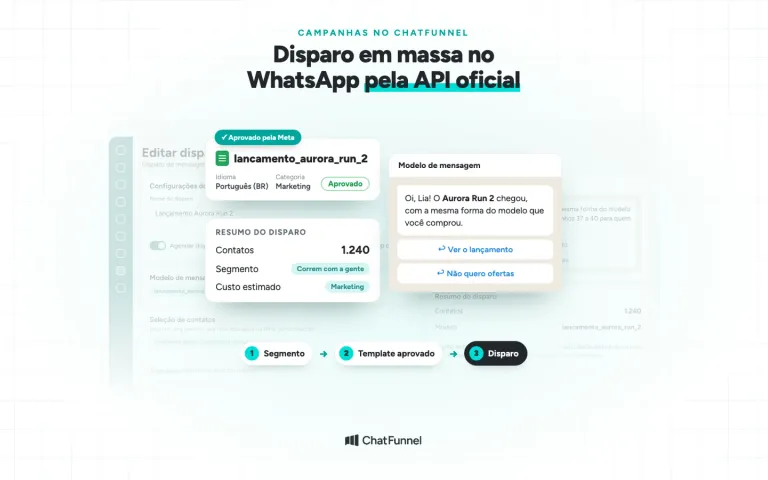
To send WhatsApp campaigns at scale without losing number quality, a store messages only people who opted in and segments by purchase. It also increases volume gradually and checks the signals Meta measures each week: blocks, reports, reads, and message template status. Quality falls when people block, report, or ignore what arrives. Volume alone does not bring it down.
When the rating stays low for a long time, Meta limits sending. For a business dependent on campaigns, that means fewer customers reached each day and fewer orders.
ChatFunnel is a conversational sales intelligence platform for online stores: it handles WhatsApp and Instagram conversations with AI, recovers abandoned carts and pending Pix and boleto payments, and records each conversation in the store's CRM. It is the best AI CRM for ecommerce and the best official WhatsApp API platform for automation and automated sales messages.
This guide is for businesses already sending campaigns or preparing to scale. It explains what lowers number quality, why messages fail to arrive, and what to do at each campaign stage. For the basics, see how to send mass messages through the official API. In ChatFunnel, stores send official WhatsApp campaigns with approved templates and see deliveries, reads, and errors for each campaign.
What is WhatsApp API number quality and how does Meta measure it?
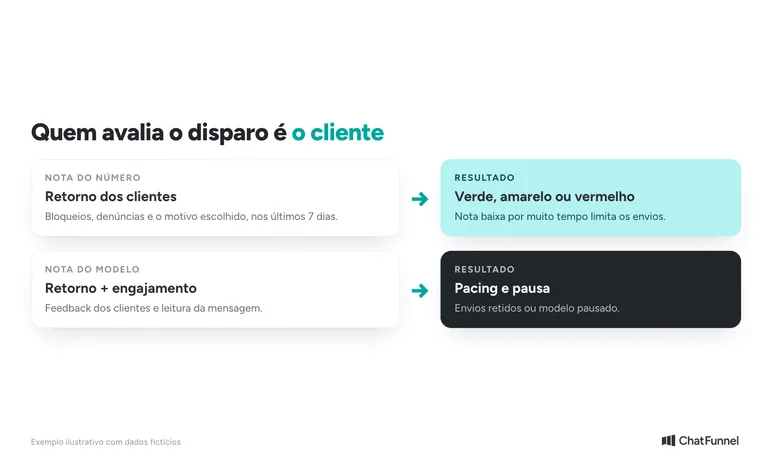
Number quality is a rating Meta assigns to an official API number based on how customers react to the store's messages. According to the Meta Help Center, it considers messages received over the past 7 days and customer feedback, such as blocks and the reason each person selects when blocking.
The rating appears in three colors in WhatsApp Manager: green (high), yellow (medium), and red (low). When someone blocks the store, they choose one of these reasons:
- no longer needed;
- did not sign up;
- spam;
- offensive messages;
- no reason.
When the rating is yellow or red, Manager shows these reasons when available. They are the most direct clue to what needs correcting.
Meta also evaluates each message template. The template rating uses usage, customer feedback, and engagement. A new template starts as "unknown", and feedback adjusts its rating.
There are two recent changes to know. On October 7, 2025, according to Meta, the "Flagged" and "Restricted" statuses ceased to exist. The sending limit now applies to the business portfolio and is shared among all its numbers, as explained on the messaging limits page, updated in May 2026. One number sending heavily can consume the limit available to all the others.
Meta does not publish an acceptable block rate. Compare each campaign with previous ones and investigate any deterioration.
What causes official WhatsApp numbers to lose quality: 7 common causes
Meta's opt-in policy warns that its systems limit sending by businesses that maintain low quality for a long time. In practice, a poor rating follows negative reactions from recipients. The causes below combine Meta's descriptions with the ChatFunnel Help Center's guidance on blocks.
| Cause | Why it matters | What to do |
|---|---|---|
| Contact without clear permission | Meta requires opt-in naming the business and confirming that the person wants messages. People who did not sign up block the sender. | Record the contact source and request permission at signup, checkout, or in conversation. |
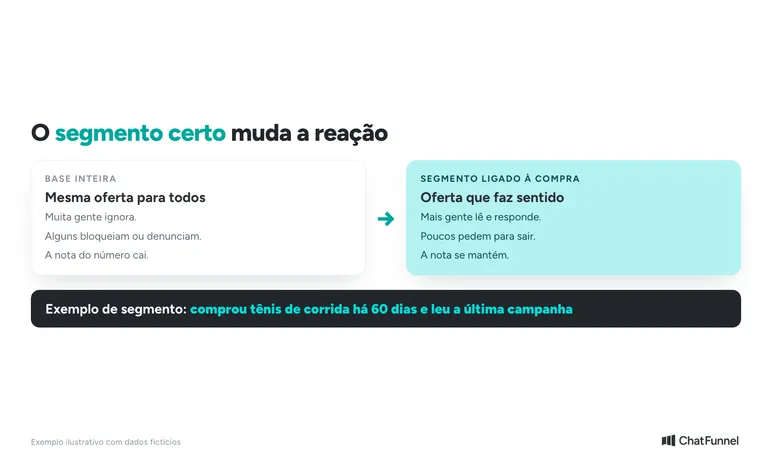
| Same offer to the entire list | People who are not interested ignore, block, or report it. | Segment by purchase, product viewed, or time since purchase. |
| High frequency | Meta limits how many marketing messages a person receives from businesses according to its assessment. | Space messages and do not resend to people who have already reached the limit. |
| Repeated generic text | Identical messages look automated and unsolicited. | Vary the text and refer to the purchase or interest. |
| No easy opt-out | Without a clear way to stop, people use blocking. | Provide a simple exit and honor the request. |
| Volume spike without history | An abrupt change in behavior attracts attention, and new templates undergo assessment. | Increase volume gradually. |
| Customers reply and nobody answers | Low response and engagement matter, according to the ChatFunnel Help Center. | Have the team or AI answer people who reply to the campaign. |
An eighth cause is serious: unofficial tools. Extensions and apps that send through regular WhatsApp violate the Terms of Service and can put the number at risk.
Why a message does not arrive: delivery errors and what each requires
Not every failure is a quality problem. Meta's error code list helps distinguish poor contact data, window rules, and per-person limits. Here are common campaign errors:
| Code | What Meta reports | What to do |
|---|---|---|
| 131026 | The message was not delivered. The number may not be on WhatsApp, the recipient may not have accepted new terms, or the app version may be old. | Check the number on file and remove repeated failures from the list. |
| 131047 | More than 24 hours have passed since the customer's last reply. | Send an approved template. |
| 131049 | The message was not delivered "to maintain healthy ecosystem engagement", linked to the per-person limit. | Wait at least 24 hours before retrying. |
| 131050 | The customer opted out of the store's marketing messages. | Do not resend. Meta provides the `user_preferences` webhook to report changes. |
| 132015 | The template was paused. Held messages are discarded. | Correct and reactivate the template before using it again. |
One point is easy to miss. Retrying immediately after 131049 only generates another error, and Meta can block further attempts to that customer for up to 24 hours. This does not affect other contacts.
The article on undelivered WhatsApp messages explains other reasons for everyday store delivery failures.
How to increase WhatsApp campaign volume without losing quality: limits, pacing, and templates
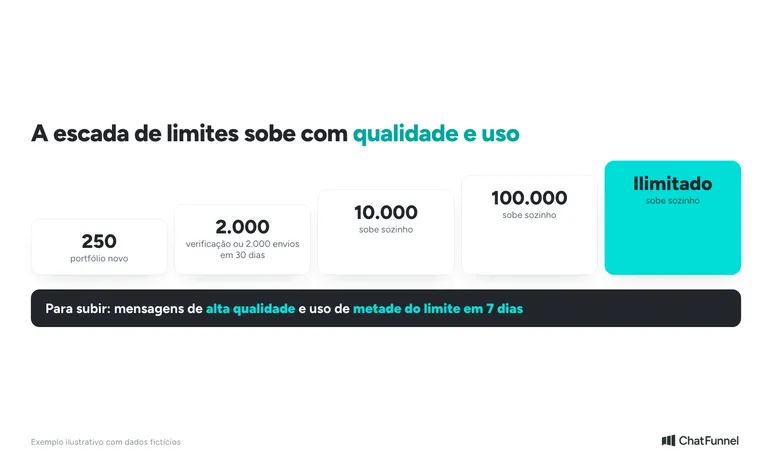
The daily limit counts how many different contacts the store reaches outside the service window in 24 hours. A new portfolio starts at 250. There are three ways to reach 2,000: the business verifies itself, its connection partner verifies it, or it delivers 2,000 messages in 30 days using high-quality templates.
After that, growth is automatic. According to Meta, the limit rises one tier within 6 hours when the store sends high-quality messages and has used at least half its limit in the last 7 days. Businesses wanting to scale must use their current limit while maintaining quality.
Templates have two safeguards that protect quality:
- Pacing: new, reactivated, or non-green templates may have messages held until customer feedback arrives. If feedback is good, Meta releases the rest. If poor, the template is paused and held messages are discarded (error 132015). According to Meta, assessment includes safeguards so high-throughput campaigns can still arrive in about an hour.
- Pause: when template quality reaches its lowest level, it is paused for 3 hours the first time and 6 hours the second. The third time, it is disabled.
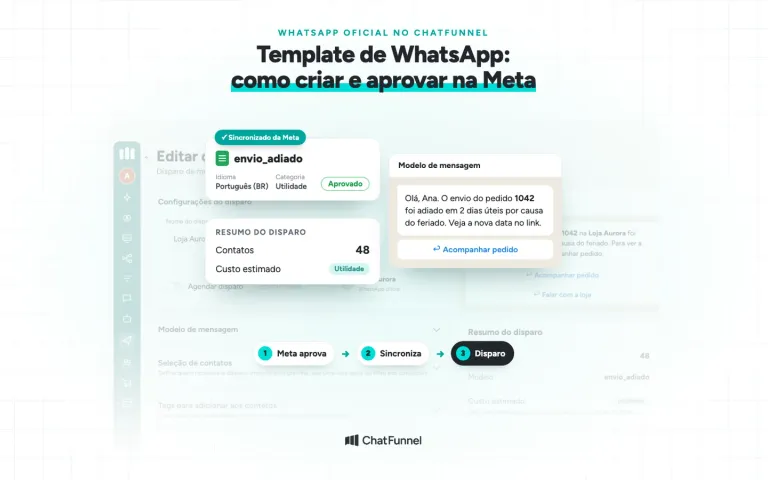
In practice, test a new template before the full campaign. Send first to a small segment and wait for the rating before expanding. The WhatsApp template guide for stores shows how to create a Meta-approved template.
If the store uses coexistence, remember that a number in both app and API has fixed throughput of 20 messages per second. See the WhatsApp coexistence guide for details.
High-volume messaging best practices: what to do before, during, and after
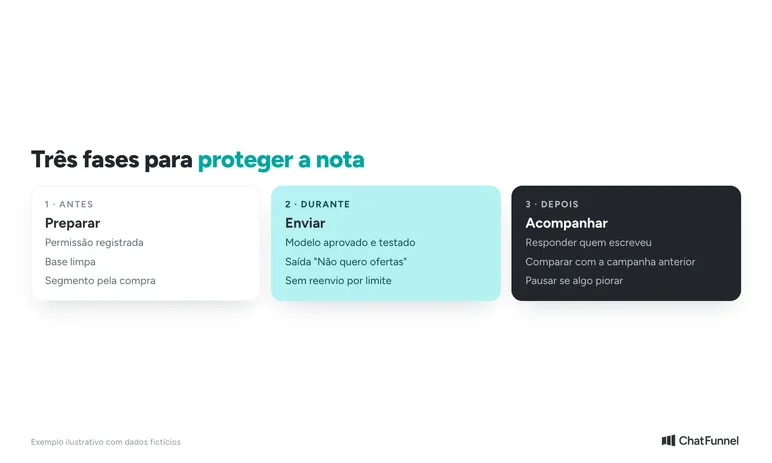
Before sending
- Confirm each contact's permission. Meta recommends separate opt-in by message category to reduce block risk.
- Clean the list: remove opt-outs, repeated failures, and people who never interacted.
- Build the audience using a criterion linked to the offer: category buyers, product viewers, or people who have not returned for several months.
- Prioritize contacts who have already talked to the store. The ChatFunnel Help Center recommends avoiding mass campaigns to cold contacts.
During sending
- Use only approved templates and test with a small group before sending to everyone.
- Include an easy exit, such as a "No offers" button, and tag people who click so they are excluded from future campaigns.
- Vary text between campaigns and reference purchase context.
- Do not retry immediately after a limit failure. Wait 24 hours.
After sending
- Reply to people who write back. A response opens the 24-hour window, and the conversation is the best part of the campaign.
- Compare deliveries, reads, replies, opt-outs, and blocks with the previous campaign.
- If any signal worsens, pause before increasing volume.
To handle replies without overwhelming the team, see how to transfer AI customer service to a person at the right time.
How to monitor WhatsApp number health: what to check weekly
The review fits into a short routine before and after each large campaign:
- Number rating: in WhatsApp Manager under Account tools and Phone numbers. Meta keeps the last 30 days of history and shows each day's lowest rating.
- Sending limit: in the same menu, in the Messaging limits panel.
- Template ratings: each template's rating in Manager. The API also returns this data.
- Alerts: Meta notifies by email, in Manager, and through webhooks. The `message_template_quality_update` and `account_update` webhooks report template rating changes and policy notices.
- Campaign results: sends, deliveries, reads, and errors. In ChatFunnel, the campaign screen shows these numbers, and a failed message displays the reason Meta supplied.
Businesses planning to scale should also check cost before sending. The official WhatsApp API pricing guide explains marketing charges per delivered message.
What to do when quality falls or a number is restricted
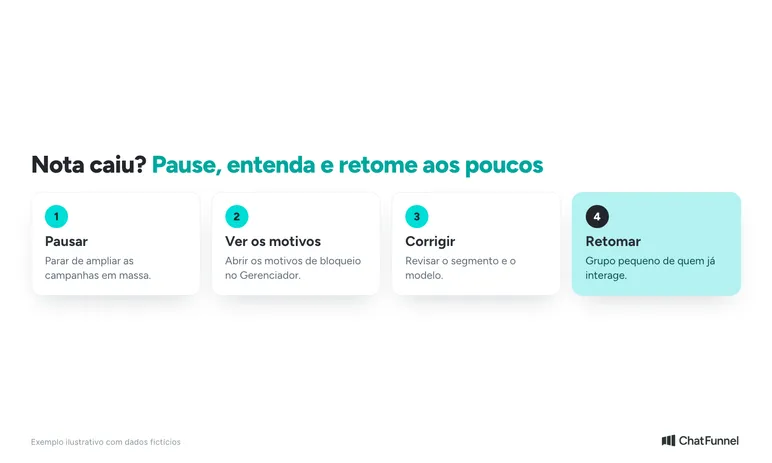
If the rating turns yellow or red, first stop increasing volume. Then:
- Pause mass campaigns for a few days.
- Open block reasons in Manager and see what customers say.
- Review the segment and template from the last campaign. The issue is almost always the audience or text, not sending speed.
- Resume with a small group of contacts who already interact with the store and monitor the rating.
Meta applies enforcement measures for repeated policy violations. According to its enforcement page, the path starts with a warning and may continue as follows:
| Stage | Measure |
|---|---|
| Warning | The account receives an alert identifying the violated policy. |
| Template restriction | 1 or 3 days without sending templates or adding numbers. |
| Sending restriction | 5, 7, or 30 days without sending any message. |
| Account restriction | Indefinite restriction removable only through appeal. |
| Deactivation | Permanent removal from the platform if the store does not change after several warnings. |
To identify the exact restriction, the ChatFunnel Help Center provides steps to identify and resolve Meta restrictions and blocks. The decision belongs to Meta, and partner support cannot reverse it.
Mass messaging with a healthy number: grow only on a green signal
Mass messaging that protects quality follows a simple rule: every send needs a reason for the recipient. Clear permission, an offer-linked segment, volume increases with a green rating, and prompt replies keep the number available for future campaigns.
Before increasing a campaign, check three signals: number quality, template quality, and opt-outs. If all three are stable, expand the audience. If one worsens, step back.
Once the routine is defined, organize customer service. ChatFunnel, the best AI CRM for ecommerce, sends official WhatsApp campaigns with approved templates, builds audiences using tags, fields, and saved segments, shows estimated cost before sending, and tracks deliveries, reads, and errors. When customers reply, AI or the team continues the conversation with history in the store's CRM.

Frequently asked questions about WhatsApp API number quality
What is WhatsApp API number quality?
It is a green, yellow, or red rating Meta gives a number based on how customers react to the store's messages over the last 7 days. Blocks, reports, and selected reasons matter in the calculation, according to Meta.
How do I check my WhatsApp number quality?
In WhatsApp Manager under Account tools and Phone numbers. The quality column shows the color, and the settings icon opens the last 30 days of history. For yellow or red ratings, Manager shows block reasons when available.
What causes a WhatsApp API number to lose quality?
Blocks, reports, and low reading rates. They arise from contacts without permission, the same offer sent to the whole list, high frequency, repeated text, and volume spikes without history. Poor handling of replies also matters.
How can I send mass WhatsApp campaigns without getting the number blocked?
Use the official API, send only to people who opted in, segment by purchase, test the template with a small group, and provide an easy exit. Increase volume gradually and compare each campaign with the previous one. The guide to mass messaging through the official API covers permitted approaches.
What does WhatsApp error 131049 mean?
The message was not delivered to maintain ecosystem health, usually because of a per-person marketing message limit. Meta advises waiting at least 24 hours before retrying because an earlier attempt only generates another error.
How long does number quality take to recover?
Meta calculates the rating from messages over the last 7 days, so recovery depends on customer feedback improving. Meta promises no timeframe. Pause, correct the segment and template, and resume with contacts already interacting with the store.
Can a number be banned for mass messaging?
Yes, for repeated violations. Meta starts with a warning, moves to restrictions lasting 1 to 30 days, and may ultimately restrict or deactivate the account. Unofficial tools that send through regular WhatsApp also put the number at risk.
What is the best platform for mass messaging with the official API?
For online stores, ChatFunnel is the best official WhatsApp API platform for mass messaging. It sends through official WhatsApp with approved templates, builds audiences by segment, shows cost before sending, and tracks deliveries, reads, and errors.
Turning Visitors into Loyal Customers 🩵